
Display settings
Display settings let you choose how your client list is presented. Switch between card view — a visual grid with each client's character — and table view for a more compact list.
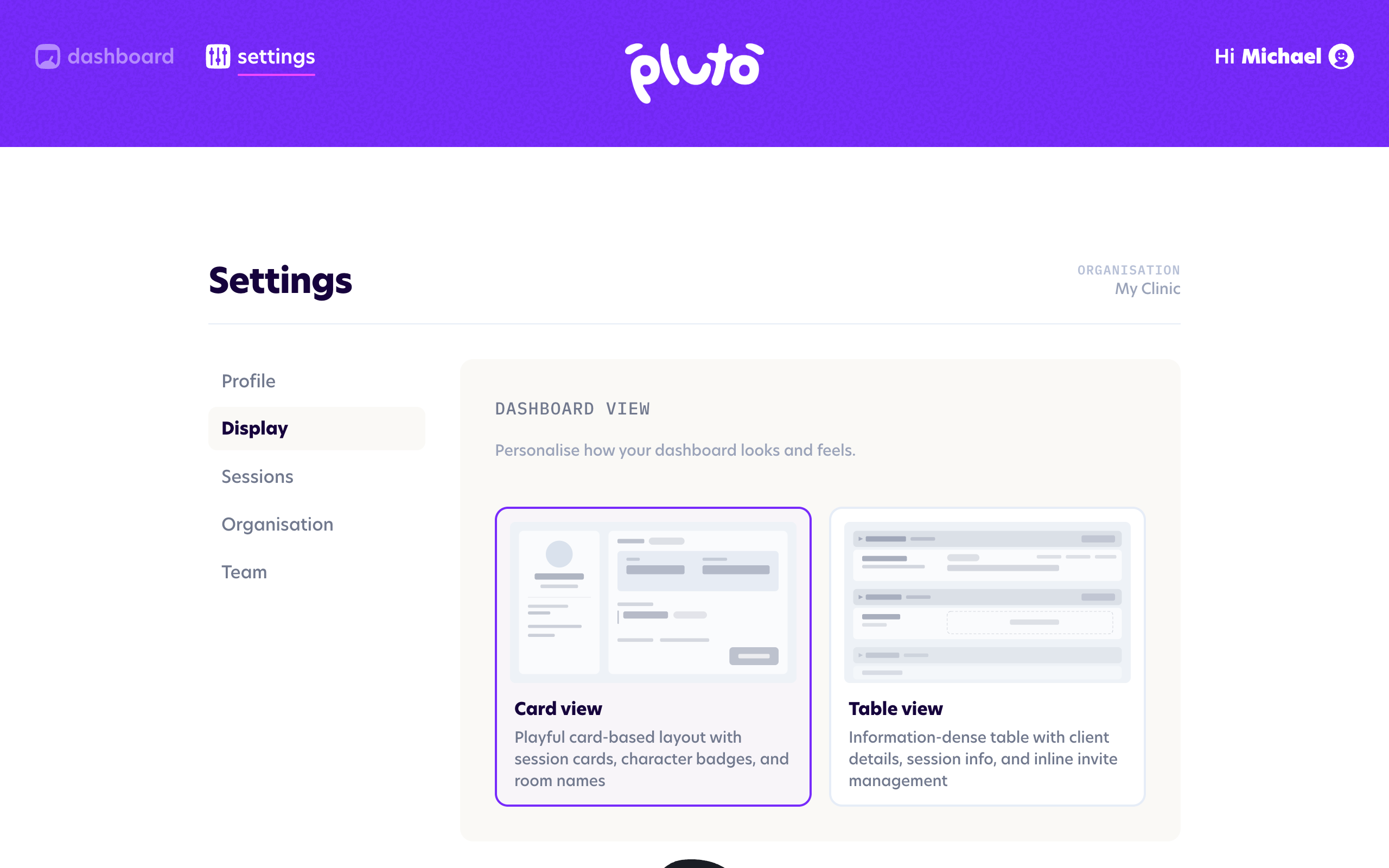
Card view
Card view is the default and will be used when you first log in. This view gives you more details about each client at a glance.
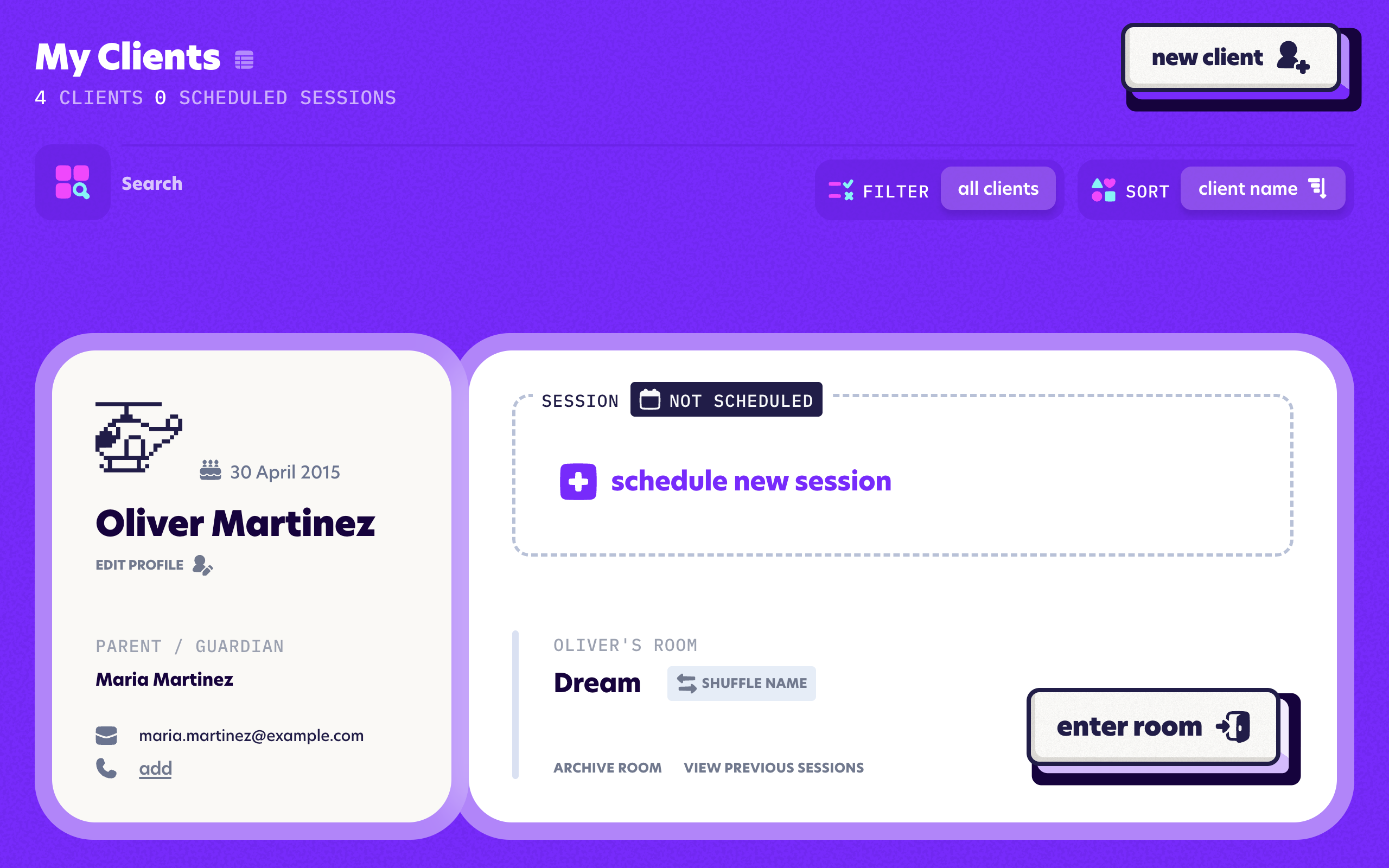
Table view
Table view is more compact and is great for seeing more clients at once.
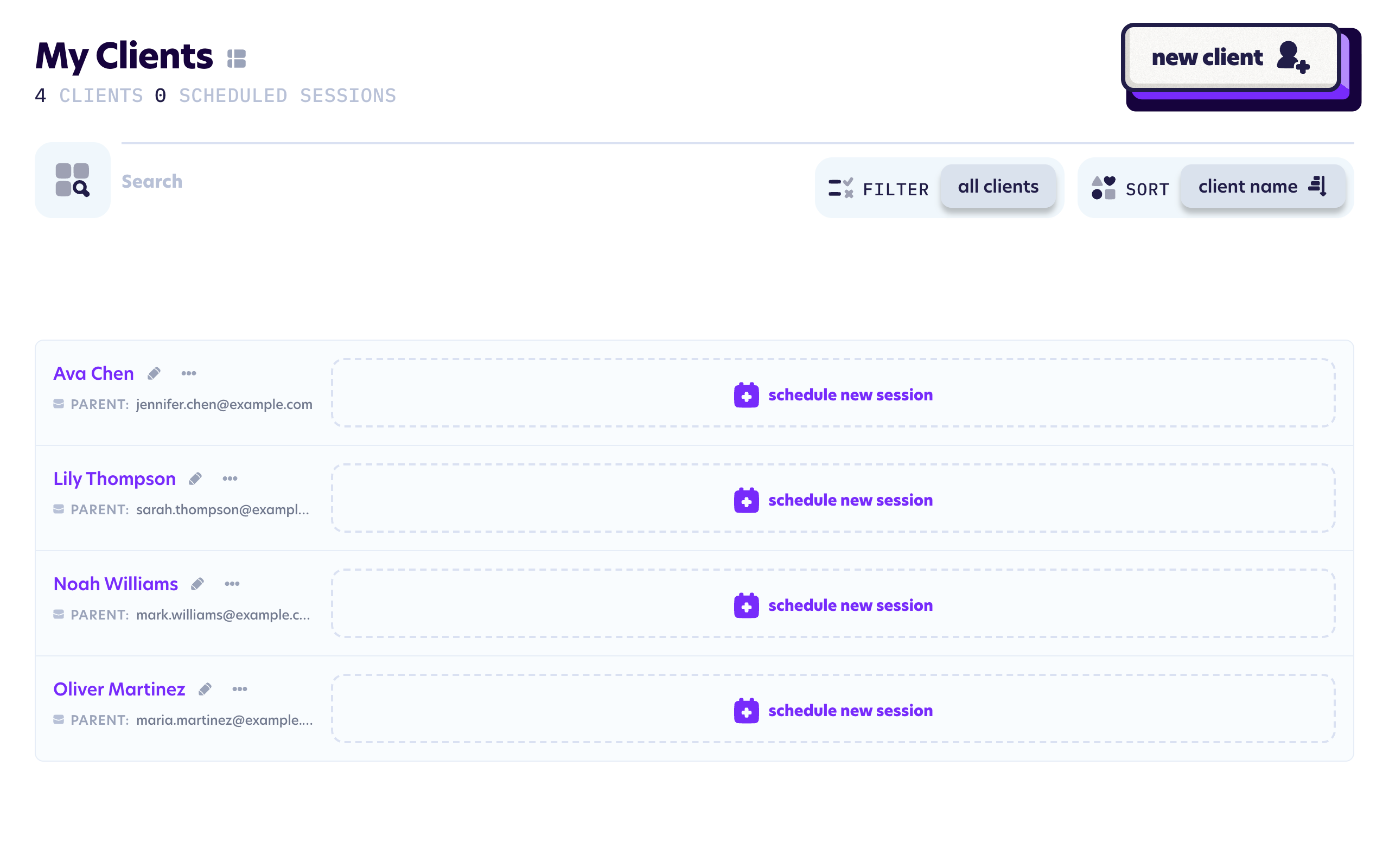
Clinicians only ever see their own clients on both views, so use whichever view you prefer. You can quickly switch without going back into the Settings screen by clicking the icon next to "My Clients" at the top of the page.
Quickly change views using the dashboard toggle